
 Computer Science
Computer ScienceTextbook
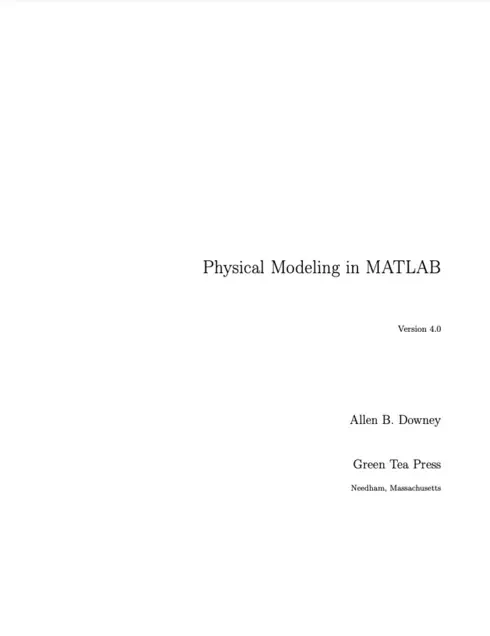
Physical Modeling in MATLAB
Not rated yetRate this bookPhysical Modeling in MATLAB by Allen B. Downey introduces programming as a tool for developing, simulating, and evaluating physical models. This guide follows the fourth edition, Version 4.0, whose copyright page includes 2021, rather than the earlier editions still referenced by some catalogs. Fifteen chapters build from arithmetic, scripts, loops, and vectors to functions, nonlinear equations, differential equations, motion, optimization, and numerical methods. The book assumes basic physics and some familiarity with rates of change while introducing the programming concepts gradually. Its recurring lesson is that a program can execute correctly while representing an unsuitable physical model. Effective study therefore combines code testing, units, assumptions, interpretation, and comparison with expected behavior.
Read on the publisher’s website. Opens in a new tab.
 Free
FreeAbout this book
Physical Modeling in MATLAB by Allen B. Downey introduces programming as a tool for developing, simulating, and evaluating physical models. This guide follows the fourth edition, Version 4.0, whose copyright page includes 2021, rather than the earlier editions still referenced by some catalogs. Fifteen chapters build from arithmetic, scripts, loops, and vectors to functions, nonlinear equations, differential equations, motion, optimization, and numerical methods. The book assumes basic physics and some familiarity with rates of change while introducing the programming concepts gradually. Its recurring lesson is that a program can execute correctly while representing an unsuitable physical model. Effective study therefore combines code testing, units, assumptions, interpretation, and comparison with expected behavior.
Book summary
About this book
Physical Modeling in MATLAB by Allen B. Downey introduces programming as a tool for developing, simulating, and evaluating physical models. This guide follows the fourth edition, Version 4.0, whose copyright page includes 2021, rather than the earlier editions still referenced by some catalogs. Fifteen chapters build from arithmetic, scripts, loops, and vectors to functions, nonlinear equations, differential equations, motion, optimization, and numerical methods. The book assumes basic physics and some familiarity with rates of change while introducing the programming concepts gradually. Its recurring lesson is that a program can execute correctly while representing an unsuitable physical model. Effective study therefore combines code testing, units, assumptions, interpretation, and comparison with expected behavior.
Chapter-by-chapter study guide
Chapter 1: Modeling and Simulation
A model selects relationships and assumptions that make a system tractable, while a simulation uses computation to generate its predicted behavior. The chapter introduces the cycle of model selection, analysis, simulation, and validation alongside basic MATLAB calculations, variables, errors, and documentation. A numerical output needs interpretation and units before it can answer a physical question. Syntax errors, mistaken calculations, and inappropriate modeling assumptions are different problems. The first programs are deliberately small so learners can compare results with hand calculations and establish reliable habits before handling more complicated systems.
Study application: Choose a simple physical question, state the assumptions and measurable quantities, and perform one calculation by hand and in MATLAB. Identify what agreement checks and what it does not establish about the model.
Chapter 2: Scripts
Scripts collect commands into a repeatable calculation rather than relying on an unrecorded interactive session. The Fibonacci example connects successive assignments with an algorithm whose state changes in a precise order. Assignment changes a variable; it is not an algebraic equation that remains true forever. Floating-point representation introduces small numerical discrepancies that must be distinguished from programming mistakes. Comments and clear names explain intent and make a calculation easier to revisit. A script should establish the inputs it needs rather than succeed accidentally because useful values remain in a workspace.
Study application: Write a short recurrence script and trace its variables after every assignment. Run it in a clean workspace, then explain how changing the assignment order changes the result.
Chapter 3: Loops
Loops repeat a computation while updating state, making sequences, sums, and repeated numerical experiments manageable. The chapter connects for loops with plotting and distinguishes absolute from relative error. Generalization turns a single calculation into a useful family of calculations, while incremental development limits the amount of untested code added at once. Loop boundaries and update order can create off-by-one errors that a plausible plot may conceal. A correct loop needs an explicit description of what each iteration represents and which values should be available afterward.
Study application: Compute a short sequence using both a loop and hand calculations. Plot the values, test the first and last iterations, and compare absolute and relative errors against a known reference.
Chapter 4: Vectors
Vectors store ordered numerical values and support indexing, arithmetic, plotting, and aggregate operations. MATLAB's one-based indexing and row-versus-column shapes affect valid operations. Elementwise multiplication, division, and powers differ from matrix operations, so familiar algebraic notation must be translated deliberately. A vector can represent samples in time or another ordered quantity, and the sample locations must correspond with the values being plotted. Understanding shape and indexing prevents errors that otherwise appear much later in a simulation.
Study application: Create a vector of sample times and a matching vector of computed values. Test an elementwise operation and a matrix operation separately, explaining the dimensions and meaning of each result.
Chapter 5: Functions
Functions give a calculation an explicit interface through inputs and outputs and separate local variables from a caller's workspace. Naming and documentation should make the function's purpose and assumptions clear. A function definition differs from a call, and a name collision can cause MATLAB to resolve a reference unexpectedly. Multiple inputs make a function reusable without relying on hidden workspace values. Encapsulation supports testing because a small function can be exercised independently before being inserted into a larger model.
Study application: Turn a script calculation into a function with documented units, inputs, and output. Call it with several values and confirm that changing unrelated workspace variables does not alter the intended result.
Chapter 6: Conditionals
Relational and logical operations let a program select behavior based on conditions. An if statement, a loop, and a logical function perform different tasks even when they use related expressions. Nested loops and conditional branches require careful attention to which statements execute and which values change. Encapsulation and generalization help organize a growing program, while continue alters the remainder of a loop iteration. Boundary cases are especially informative because a strict or non-strict comparison can change which branch handles them.
Study application: Write a piecewise physical relationship and test values below, at, and above its boundary. Trace a nested-loop example and explain the effect of a continue statement on one iteration.
Chapter 7: Zero-Finding
A nonlinear equation can be reframed as finding where a function equals zero. Numerical zero-finding requires a suitable function interface and starting information, while the returned value should be checked by evaluating the residual. A plotted crossing can help locate a root but is not a guarantee that every root has been found. Discontinuities, unsuitable starting values, and an incorrectly defined function can mislead a solver. The chapter combines numerical tools with debugging so learners distinguish a solver problem from an error in the mathematical model.
Study application: Reformulate a physical equilibrium as a zero of a function. Inspect a plot, choose starting information, compute a root, and verify the residual and physical domain of the result.
Chapter 8: Functions of Vectors
Functions can accept vectors and produce collections of results, supporting parameter sweeps and more organized numerical models. Inputs and outputs need clearly understood shapes, and code written for a scalar may require elementwise operations before it works as intended on a vector. The chapter also develops a structured debugging process: understand the symptom, form a hypothesis, test it, and use the result to refine the explanation. Repeated unplanned edits obscure evidence. Small test cases and intermediate checks make larger calculations easier to trust.
Study application: Evaluate a model over a parameter vector and compare selected entries with scalar calls. Introduce one shape or elementwise-operation error, then isolate it using a minimal test and a recorded hypothesis.
Chapter 9: Ordinary Differential Equations
An ODE describes a rate of change, while an initial condition selects a particular trajectory. Euler's Method illustrates stepping forward with a local rate; ode45 provides a more capable numerical solver through a rate-function interface. Time-dependent rates and plotting require consistent interpretation of the state and independent variable. Smaller numerical error does not remove modeling error, and a solver's successful return does not establish that its assumptions or initial conditions were correct. Labeling axes and units makes the resulting trajectory interpretable.
Study application: Solve a simple ODE with a known analytical solution using Euler steps and the source's solver workflow. Compare several step sizes, state the initial condition, and distinguish numerical discrepancy from model uncertainty.
Chapter 10: Systems of ODEs
A system evolves several related state variables together, commonly represented as a vector with a matching vector of rates. Matrices and indexing organize the state and returned trajectory, but each component still needs a physical definition and unit. Coupling means that one variable's rate can depend on others, so solving each equation as though it were independent may change the model. A consistent ordering of state variables across initialization, rate calculation, and plotting is essential. The chapter extends the single-equation interface without discarding its logic.
Study application: Build a two-state model, define the order and units of the state vector, and label the corresponding derivative components. Check that every output column is plotted and interpreted as the intended variable.
Chapter 11: Second-Order Systems
Newtonian motion often begins as a second-order equation, which can be rewritten as coupled first-order equations for position and velocity. Free fall and air resistance illustrate how force assumptions determine the rate function. An event condition can stop integration when a physical boundary is reached, avoiding an interpretation of the trajectory beyond the model's intended domain. Drag direction must be consistent with motion, and units provide a useful check on the acceleration equation. Initial position and velocity are distinct required inputs.
Study application: Model vertical motion with and without drag, using a stopping event at ground level. Compare the sign of the drag force during upward and downward motion and verify the initial conditions.
Chapter 12: Two Dimensions
Two-dimensional motion adds vector position, velocity, and force while preserving the state-system structure. A drag model depends on velocity relative to the surrounding medium and should oppose that relative motion under the chosen assumptions. State ordering and vector arithmetic become especially important when several components are combined. The chapter's trajectory examples connect physical geometry with numerical solutions. A smooth-looking path can hide a sign, indexing, or unit error, so component checks and limiting cases remain valuable.
Study application: Simulate a projectile in two dimensions, first in a simple no-drag limit and then with the stated drag model. Check the limiting trajectory and explain each component of the state and acceleration.
Chapter 13: Optimization
Optimization treats a simulation's output as an objective that can be varied through parameters, such as launch angle. The objective function must return the quantity the optimizer expects and handle unsuccessful or physically invalid simulations deliberately. Maximizing a quantity can be expressed through minimizing its negative, but the sign convention should be explicit. A local search result needs comparison with plots, alternative starting points, and feasible boundaries where relevant. The numerical optimum is conditional on the model and parameter assumptions rather than a universal physical answer.
Study application: Sweep a launch parameter to inspect the objective, then apply an optimization routine to the same model. Compare the result with the sweep and test whether a changed assumption shifts the preferred parameter.
Chapter 14: Springs and Things
Spring systems, bungee examples, and celestial mechanics show how the same modeling tools can describe different forces and coupled motion. A piecewise force may depend on whether a spring is stretched or slack, while gravitational interactions depend on separation and direction. Energy conservation can provide a diagnostic in an idealized conservative model, but damping or drag changes the expected balance. The examples encourage careful formulation rather than copying one rate function into a new physical situation. Numerical behavior should be checked against appropriate physical limits.
Study application: Set up a simple spring model with stated force and damping assumptions. Track energy in the conservative limit, then explain the expected change after damping is introduced.
Chapter 15: Under the Hood
The final chapter examines how the numerical tools work, including the logic behind ODE integration, zero-finding, and optimization used earlier. Local approximations, step control, tolerances, and convergence criteria help explain why a method succeeds or fails. Understanding an algorithm's assumptions improves interpretation of warnings and apparent precision. More digits in an output do not guarantee accuracy. The chapter closes the modeling cycle by encouraging learners to connect a numerical answer with the method that produced it and the physical claim it is being used to support.
Study application: Choose one earlier result and investigate its sensitivity to numerical settings and starting information. Explain which differences reflect the algorithm and which require reconsidering the physical model.
Study instructions
- Work sequentially through the programming foundations before combining solvers and optimization. Keep a known working version at each stage.
- Define state variables, units, parameters, assumptions, and initial conditions before writing a rate function.
- Test small calculations and limiting cases independently. Compare with analytical results or conservation laws when available.
- Distinguish assignment, equality tests, matrix operations, and elementwise operations, and check vector dimensions deliberately.
- Inspect residuals, events, feasibility, and numerical settings rather than treating a solver's return as sufficient validation.
- Maintain a debugging log with symptom, hypothesis, experiment, and conclusion. Change one relevant factor at a time.
- Document the model separately from the program so that code correctness, numerical accuracy, and physical validity can be evaluated separately.
- Use the publisher's fourth-edition code resources and check current official MATLAB documentation when software behavior or installation details differ.
Questions for reflection
- How can a correctly executing program represent an invalid model?
- Why do vector shapes and elementwise operations matter?
- What does a root residual establish and what does it leave unresolved?
- How is a second-order motion equation converted into a first-order system?
- Why is a numerically optimized parameter conditional on the model?
Sources and edition coverage
Coverage follows the complete 178-page fourth-edition PDF, Version 4.0, linked by Green Tea Press; its copyright page includes 2021. All fifteen numbered chapters are covered, with the preface and glossary serving as support. The authentic fourth-edition catalog title-page cover is used. Full text remains on the author's external repository. This is an original reading guide. Consult the source for its full explanations, cases, worked examples, exercises, illustrations, and references. Study applications above are new practice suggestions.
About access & copyright
This page provides book information and study material. Full-text access is provided by the original publisher or authorised source; a listing does not grant permission to republish the book.
Read our Library Access & Copyright policyExplore the contents
Check the chapters covered in this edition.
Visit the official source
See reading, preview or purchase options.
Save for later
Keep this textbook in your saved collection.
Reader ratings & reviews
Share your thoughts
Your review helps other students choose the right resources.
KEEP LEARNING
Your next great read
Computer Science Computer Science
Essentials of Geographic Information Systems
View Essentials of Geographic Information Systems — book Computer Science
Open Data Structures: An Introduction
View Open Data Structures: An Introduction — book Computer Science
Foundations of Computation
View Foundations of Computation — book Computer Science
Think Bayes: Bayesian Statistics Made Simple
View Think Bayes: Bayesian Statistics Made Simple — book Computer Science
Python for Everybody: Exploring Data Using Python 3
View Python for Everybody: Exploring Data Using Python 3 — book Computer Science
An Introduction to Computer Networks
View An Introduction to Computer Networks — book Computer Science
Introduction to Computer Graphics
View Introduction to Computer Graphics — book Computer Science
Introduction to Programming Using Java
View Introduction to Programming Using Java — book Computer Science