
Introduction to Drafting and AutoCAD 2D
Computer ScienceTextbook
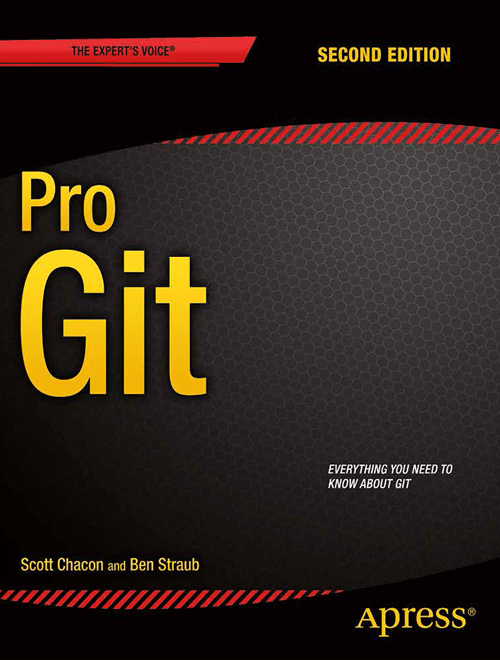
Pro Git: Everything You Need to Know About Git (English)
Not rated yetRate this bookScott Chacon and Ben Straub’s Pro Git introduces version control and develops Git concepts from basic use toward collaboration and internal mechanisms. The reviewed opening explains why recording project history is useful before introducing specific commands.
Read on the publisher’s website. Opens in a new tab.
 Free
FreeAbout this book
About this book
Pro Git, by Scott Chacon and Ben Straub, explains distributed version control from everyday repository work to Git’s internal object model. The second edition develops ten chapters and three practical appendices. Its central idea is that understanding snapshots, references, and the separation between working files, the index, and committed history makes commands easier to reason about. The guide follows that structure and distinguishes local operations from collaboration workflows. Hosting interfaces and installation examples reflect the reviewed edition, while the underlying explanations should be read alongside current official Git and hosting documentation for version-specific behavior.
The detailed guide below follows the book’s chapter, unit, or section structure. Read it alongside the study instructions and the complete official text.
Book summary
Chapter-by-chapter summaries
Chapter 1: Getting Started
Version control records changes so a project can be examined, compared, and recovered over time. The chapter contrasts local, centralized, and distributed approaches before explaining Git's snapshot-based model. A clone normally contains repository history as well as a working copy, allowing many operations to occur locally. Git checks content integrity and distinguishes committed, modified, and staged states. The working directory contains checked-out files, the staging area prepares the next snapshot, and the repository stores committed objects and history. Initial setup establishes identity and preferences; those settings affect later commits and interaction. Understanding these states is more valuable than memorizing a command sequence because it explains where a change currently exists and what the next operation will record.
Chapter 2: Git Basics
The daily workflow begins by creating or cloning a repository, inspecting its status, selecting changes for the next commit, and recording that snapshot. Tracking a file and staging its newest content are related but distinct actions: a tracked file can contain changes that are not yet staged. The chapter develops history inspection, comparisons, remotes, tags, and aliases. Fetching retrieves objects and references from another repository without necessarily integrating them into the current branch; pushing asks a remote to update references with local work. Undoing operations requires identifying which state should change. Restoring a working file, altering the index, and creating a new commit that reverses an earlier change have different consequences for recoverability and shared history.
Chapter 3: Git Branching
A branch is a movable reference to a commit rather than a separate copy of every project file. Commits connect through parent relationships, and HEAD normally identifies the current branch. Creating and switching branches therefore changes the reference context and checked-out snapshot. The chapter explains merging, conflicts, branch management, remote-tracking references, and rebasing. A merge can preserve divergent lines of development in the history; rebasing recreates commits on a different base. Both can produce useful workflows, but rewriting commits already used by collaborators can disrupt their work. Conflict resolution requires understanding the intended combined behavior, not merely removing conflict markers. The diagrams make branching a question of history structure rather than folder management.
Chapter 4: Git on the Server
Sharing a repository requires deciding how other users will communicate with it and what operations they may perform. The chapter compares transport approaches and explains bare repositories, SSH-based access, HTTP, and server or hosting options. A bare repository stores Git data without a normal checked-out working tree, making it suitable as a shared endpoint. Authentication and permission arrangements depend on the chosen protocol and environment. Hosting can simplify administration, but it does not eliminate decisions about access, backups, or collaboration policy. The installation examples illustrate possibilities from the source edition. Their conceptual value is understanding the separation between Git's repository model, the transport protocol, and the additional services supplied by a hosting platform.
Chapter 5: Distributed Git
Distributed version control supports multiple collaboration patterns rather than requiring one central workflow. The chapter compares centralized-style collaboration, integration-manager arrangements, and larger delegated structures. Contributors need to prepare changes that others can review and integrate, while maintainers must evaluate patches, preserve useful history, and coordinate releases. Commit organization and messages help reviewers understand intent and dependencies. The chapter also examines patch-oriented exchanges and the distinction between authoring work and integrating it. A distributed repository provides technical flexibility, but a team still needs conventions about authoritative branches, review, and publication. The most suitable workflow depends on trust, project scale, contribution patterns, and the cost of coordinating concurrent changes.
Chapter 6: GitHub
The hosting chapter shows how Git repositories connect with pull requests, account configuration, project maintenance, organizations, and platform APIs. A pull request adds a review and discussion process around proposed changes; it is not itself a fundamental Git object. Forking and branching support contributions under different permission arrangements. Maintainers use hosting tools to inspect changes, discuss issues, and integrate work while contributors keep their repositories aligned with the project. The chapter's broader lesson is to distinguish version-control operations from the service interface that organizes them. Account settings, screens, and API examples are version-sensitive and should be checked in current official documentation before reproducing a detailed procedure.
Chapter 7: Git Tools
This substantial chapter deepens control over history and working state. Revision selection identifies particular commits or ranges; interactive staging selects meaningful subsets of a change; stashing temporarily records unfinished work. Searching and bisecting help connect history with questions about when behavior changed. Other sections explain signing, rewriting history, advanced merges, reused conflict resolutions, submodules, bundles, replacement objects, and credential storage. Reset is clarified by examining its effects on references, the index, and working files separately. These tools are powerful because they expose distinct layers, but they also require careful attention to what will be changed and whether others rely on the existing history. The right command follows from the desired state transition.
Chapter 8: Customizing Git
Configuration, attributes, and hooks adapt Git to a project's environment and conventions. Configuration controls preferences and behavior at relevant scopes. Attributes attach rules to file patterns, allowing content handling and presentation to differ by file type. Hooks run at defined points in a workflow and can support checks or automation, although their location and distribution affect how consistently they are applied. The example policy demonstrates how technical mechanisms can express a project's expectations. Customization should make behavior predictable and documented: an invisible local setting can create confusing differences between collaborators. The chapter also shows that workflow policy is broader than a single client-side check and may require server-side enforcement or agreed review practices.
Chapter 9: Git and Other Systems
Teams may need to use Git while interacting with repositories maintained in other version-control systems, or migrate historical work into Git. The chapter explains interoperability and conversion as tasks involving both technical data and workflow meaning. Preserving authors, timestamps, branches, tags, and commit relationships may require explicit mappings. A successful migration is not established merely because files appear in a new repository; representative history, references, and ongoing collaboration must also behave as intended. Tools and formats vary across source systems. The conceptual contribution is to treat migration as a planned transformation whose assumptions and results can be checked, rather than as an automatic guarantee of equivalent project history.
Chapter 10: Git Internals
The final chapter explains the machinery behind familiar commands. Git stores content-addressed objects, including blobs for file content, trees for directory structure, and commits that connect snapshots with metadata and parents. References provide human-usable names for object identities. The chapter also examines packfiles, refspecs, transfer protocols, maintenance, recovery, and environment variables. Understanding that objects and references are different helps explain why a branch can move without changing an existing commit and why apparently lost work may remain recoverable for a time. The internals turn earlier command behavior into consequences of a coherent data model. They also show why repository maintenance and careful handling of references matter to long-term reliability.
Appendix A: Git in Other Environments
The first appendix surveys using Git through graphical tools, editors, shells, and integrated development environments. Different interfaces can make common operations easier to discover, but they still act on the same repository states. A productive approach is to translate an interface action into its effect on working files, the index, commits, and references. That translation helps diagnose surprises when switching tools and prevents treating an attractive history display as a different version-control model.
Appendix B: Embedding Git in Your Applications
Embedding Git gives another program access to repository operations through command execution or library interfaces. The appendix introduces approaches such as language bindings and implementation libraries, distinguishing lower-level mechanisms from higher-level conveniences. Applications need to handle repository state, errors, permissions, and potentially untrusted content deliberately. The examples demonstrate integration patterns from the source edition rather than a promise that a particular dependency version remains appropriate.
Appendix C: Git Commands
The command reference connects individual commands with the concepts and chapters in which they are developed. It is most useful after the reader can identify the intended operation: inspect, stage, commit, integrate, publish, recover, or maintain. Commands that sound similar may affect different states, and options can change those effects substantially. Consulting a reference should therefore accompany a clear statement of the current state and desired result, especially for operations that discard local changes or rewrite history.
Study instructions
Use a disposable practice repository for assigned exercises. Before running a command, explain the state you expect it to change and what you expect to observe afterward. Compare that expectation with the repository’s actual state.
Keep notes about working files, recorded history, and collaboration rather than memorizing commands without context. Use the official documentation when a command’s behaviour or an interface differs from the edition. Do not practise destructive history changes on shared work.
Questions for reflection
- What question can a recorded history answer that a folder of copies cannot?
- Which state is a command expected to change?
- Which parts of the reading depend on software version?
The study suggestions and questions are independent Academic Master editorial material.
Sources and coverage
These original summaries draw on the source text, including chapter or section introductions and selected explanations, examples, exercises, and review material. They are condensed study guides, not a page-by-page account or a replacement for the complete resource. Additional synthesis sections are identified separately.
About access & copyright
This page provides book information and study material. Full-text access is provided by the original publisher or authorised source; a listing does not grant permission to republish the book.
Read our Library Access & Copyright policyHistory
Explain the purpose of version control.
Concepts
Connect commands with repository state.
Collaboration
Distinguish local work and shared history.
Versions
Check changing interfaces and behaviour.
Reader ratings & reviews
Share your thoughts
Your review helps other students choose the right resources.
KEEP LEARNING
Your next great read
Civil Engineering
Introduction to Drafting and AutoCAD 3D
Introduction to Drafting and AutoCAD 3D
View Introduction to Drafting and AutoCAD 3D — bookProgramming for Computations – Python: A Gentle Introduction to Numerical Simulations with Python 3.6
Programming for Computations - Python: A Gentle Introduction to Numerical Simulations with Python 3.6
View Programming for Computations - Python: A Gentle Introduction to Numerical Simulations with Python 3.6 — bookCISC 187: Data Structures in C++
CISC 187: Data Structures in C++
View CISC 187: Data Structures in C++ — bookAccounting Analytics: An Integrated Approach
Accounting Analytics: An Integrated Approach
View Accounting Analytics: An Integrated Approach — bookGame Based and Adaptive Learning Strategies
Game Based and Adaptive Learning Strategies
View Game Based and Adaptive Learning Strategies — book Computer Science
The Shallow and the Deep: A biased introduction to neural networks and old school machine learning
View The Shallow and the Deep: A biased introduction to neural networks and old school machine learning — book Curriculum & Instruction
Technology in Schools
View Technology in Schools — bookComputer Systems Security: Planning for Success
Computer Systems Security: Planning for Success
View Computer Systems Security: Planning for Success — book Computer Science