
Principles of Microeconomics 3e
BusinessTextbook
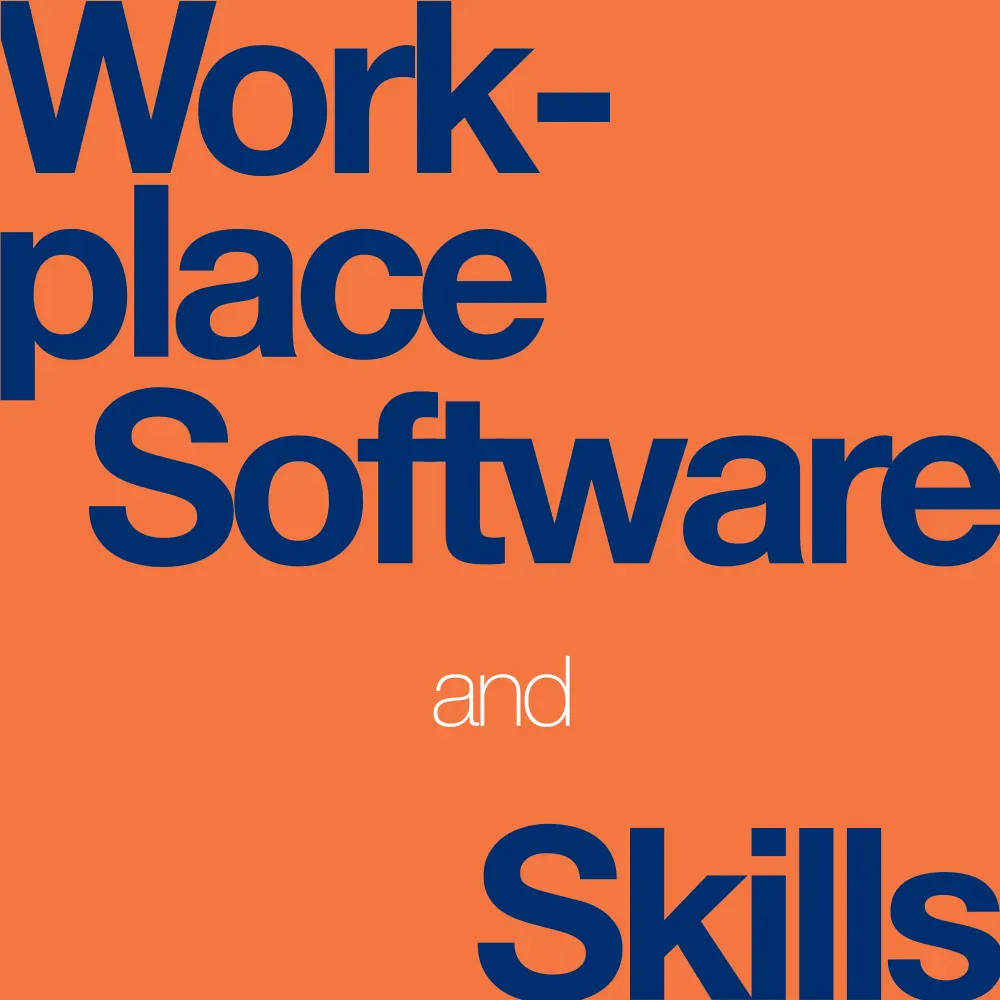
Workplace Software and Skills
Not rated yetRate this bookWorkplace Software and Skills develops practical competence across documents, presentations, online content, spreadsheets, databases, and integrated workflows. OpenStax organizes fifteen chapters around Microsoft 365 and Google Workspace, with later Excel and Access work extending into analysis and automation. This guide follows the linked textbook and emphasizes choosing a suitable tool, organizing information, checking results, collaborating responsibly, and producing an output another person can use. Interface examples belong to the source version and may differ from a reader’s current application.
Free reading is available at the official source. Opens in a new tab.
 Free
About this book
Workplace Software and Skills develops practical competence across documents, presentations, online content, spreadsheets, databases, and integrated workflows. OpenStax organizes fifteen chapters around Microsoft 365 and Google Workspace, with later Excel and Access work extending into analysis and automation. This guide follows the linked textbook and emphasizes choosing a suitable tool, organizing information, checking results, collaborating responsibly, and producing an output another person can use. Interface examples belong to the source version and may differ from a reader’s current application.
Chapter-wise summaries and study tasks
Chapter 1 Technology in Everyday Life and Business
Technology choices depend on hardware, software, networks, and the information being handled. The opening chapter connects computing history with contemporary business uses, cloud services, and connected devices. Safety, security, privacy, and ethical use introduce responsibilities that continue across every application. A convenient service can still require decisions about access, storage, sharing, and organizational requirements.
Distinguish where data is stored from where it is viewed and who can access it. A synced file is not automatically a backup, and a tool’s availability does not establish that it is suitable for sensitive information. Plan the workflow around the task and the people involved rather than technology names alone.
Study task. Map a fictional workplace task from input to storage, processing, sharing, and retention. Identify the hardware, software, network dependencies, and an access or recovery decision needing explicit ownership.
Chapter 2 Essentials of Software Applications for Business
Software foundations include file organization, communication, calendars, and the main collaboration environments. Microsoft 365 and Google Workspace contain overlapping capabilities, but file formats, permissions, storage locations, and working arrangements can differ. Naming, folders, and version discipline help colleagues identify the correct information. Calendar and messaging tools support coordination only when responsibilities and expectations are clear.
Before sharing, identify the audience, required access level, and authoritative copy. Sending several attachments can create uncertainty about which version governs. Collaborative editing reduces some duplication while making permission management and review practices more important. A workable convention should be understandable to a new team member.
Study task. Organize a fictional team project with folder names, file conventions, calendar responsibilities, and sharing permissions. Explain which item is authoritative and how an accidental change or departed collaborator would be handled.
Chapter 3 Creating and Working in Documents
Document creation combines navigation, page layout, content formatting, design, review, and version history in Word and Docs. Structural features help communicate hierarchy and support later changes, while direct formatting alone can make a long document fragile. Comments and tracked or suggested changes separate review from silent alteration. A version history supports recovery and comparison but still requires knowing which changes should be accepted.
Design starts with the reader’s purpose and available information. A document should remain readable after export, printing, or viewing on another device. Check headings, paragraph organization, spacing, and the relationship between text and supporting elements rather than judging only the editing view.
Study task. Create a short structured document in one environment and review it collaboratively. Export it, check the result, and use version history to explain the difference between a reviewer’s suggestion and a completed revision.
Chapter 4 Document Preparation
Document preparation extends into advanced formatting, graphics, text tools, and management of long files. Consistent structure supports navigation and generated elements, while graphics need suitable placement, captions, and relationships with the surrounding text. Word and Docs offer different implementations of related goals, so learn the purpose of a feature rather than memorize an isolated button sequence.
A visually correct page can still have poor underlying organization. Test whether headings, sections, references, and page elements update when content changes. Check that an image communicates relevant information and that alternative descriptions or other accessibility arrangements support the intended audience. Revise through both the editable structure and the delivered output.
Study task. Prepare a multi-section document with a graphic and navigation features. Insert new material near the beginning, update dependent elements, and explain which structural choices prevent manual repair throughout the file.
Chapter 5 Advanced Document Preparation
Advanced document work includes specialized document types, mail merge, forms, and more complex collaboration. A reusable template separates stable structure from changing content. Merge operations connect a document with a data source, making field quality and record selection essential. Forms need clear questions, appropriate response types, and a plan for handling collected information.
Automation can reproduce an error across many outputs, so test with controlled records before using a large list. Preview long names, missing values, special characters, and unintended recipients. Sharing settings and information minimization are part of a form’s design, not details to add after collection begins.
Study task. Create a fictional merge or form workflow using test data only. Define required fields, validate unusual and missing inputs, and check both individual outputs and the overall recipient or response handling process.
Chapter 6 Preparing Presentations
Presentation preparation begins with purpose, audience, message, and visual organization before adding effects. PowerPoint and Google Slides support layouts, text, visuals, and other features that should reinforce a coherent sequence. A slide is part of a spoken or viewed communication, not automatically a page of a report. Hierarchy and readability help an audience follow the argument in real time.
Images and charts should earn their place through explanatory value. Check the relationship among the visual, title, and intended takeaway. Consistency can reduce distraction, but using one layout repeatedly is not a substitute for selecting a form that fits each idea.
Study task. Build a short presentation around one decision or learning outcome. Use a justified visual and explain what the audience should learn from each slide, then test readability and message order with another person.
Chapter 7 Advanced Presentation Skills
Advanced presentation skills focus on finalizing material, delivery, and preparing the application for a live setting. Speaker support, timing, transitions, and rehearsal influence whether the planned message reaches the audience. A presentation needs checks for media, links, display conditions, and the version being shown. PowerPoint and Slides may require different preparation steps while serving the same communication goals.
A technically successful file is not a rehearsed performance. Plan what happens if a media element or connection fails, and keep the main argument understandable without a fragile effect. Evaluate delivery through what the audience can follow and remember rather than the number of advanced features used.
Study task. Rehearse a presentation with a time limit and a fallback plan. Check its delivered form on another setup, then revise a transition or explanation based on a listener’s account of the central message.
Chapter 8 Content Management Systems and Social Media in Business
Content management systems separate content creation, organization, presentation, and publication within a managed website. The chapter connects common systems with authoring workflows, search-engine optimization, and social media in business. Content should serve a defined audience need and remain accurate, navigable, and maintainable. Search visibility depends on coherent information and technical access rather than one isolated keyword trick.
Publishing also creates responsibilities for permissions, review, updates, and the relationship between a website and external channels. Social attention is not equivalent to a useful business outcome. Select measures that connect the content’s purpose with user actions and evaluate the accuracy of the published version.
Study task. Plan one fictional website page with audience intent, structure, title, description, internal relationships, and review ownership. Define how its usefulness would be assessed without equating impressions alone with success.
Chapter 9 Working with Spreadsheets
Spreadsheet basics organize text, numeric data, formulas, formatting, and reusable structures in Excel and Sheets. Cell references make calculations depend on inputs, while relative and fixed references control how copied formulas behave. A number that looks like a date or currency still needs the correct underlying value and meaning. Formatting communicates information but does not establish computational correctness.
Separate inputs, calculations, and outputs so another person can audit the workbook. Check totals using an independent route and test what happens when data is added or changed. A template is useful only if its assumptions match the new task.
Study task. Build a small fictional tracker with labeled inputs, formulas, and a summary. Copy a formula across rows, justify reference behavior, and verify one total independently before applying decorative formatting.
Chapter 10 Advanced Excel Formulas, Functions, and Techniques
Advanced Excel work combines tables, ranges, logical and statistical functions, PivotTables, formula auditing, and conditional presentation. Formula choice depends on the intended question and the data structure. A PivotTable summarizes recorded information according to selected groupings; it does not repair duplicate or misclassified records. Auditing helps trace precedents and locate errors that a plausible result can conceal.
Test edge cases such as blanks, zero values, text in numeric fields, and changed ranges. Distinguish a calculation error from an incorrect business assumption. Document a formula’s purpose so a later editor can judge whether a revision preserves its meaning.
Study task. Create a categorized dataset and compare a formula summary with a PivotTable. Add test records and trace a deliberately incorrect formula, explaining whether its fault lies in logic, references, or source data.
Chapter 11 Advanced Excel Spreadsheets: Statistical and Data Analysis
Data analysis requires validated inputs, appropriate summaries, and a clear question. The chapter develops statistical functions, what-if tools, PivotTables and charts, and graphical analysis. Data tables and scenarios explore assumptions; they do not establish that a hypothetical outcome will occur. A chart’s grouping, axis, and selected range affect interpretation.
Cleaning and validation should precede conclusions, and uncertainty or missing information needs to remain visible. A calculated average can conceal variation, while a visually persuasive chart can use an unsuitable comparison. Match each output to the decision and identify what the analysis cannot establish.
Study task. Analyze a controlled dataset using a summary, chart, and what-if comparison. State assumptions and test sensitivity, then explain one conclusion the available data would not support.
Chapter 12 Using Excel in Accounting and Financial Reporting
Accounting and financial reporting use spreadsheets to organize transactions, apply financial functions, and exchange information with dedicated systems. Correct formulas depend on consistent periods, signs, units, and assumptions. A payment or valuation function can return a number even when the input convention is inappropriate. Reconciliation connects the worksheet with the records it claims to represent.
Use fictional cases to understand the model rather than treat a source example as personal financial guidance. Record which values are inputs and which are computed, and compare totals with an independent balance or report. Integration requires preserving categories and meaning, not only transferring visible cells.
Study task. Construct a fictional financial worksheet with explicit period and sign conventions. Verify a calculation independently, reconcile totals, and explain how a changed assumption alters the output without claiming a guaranteed real-world result.
Chapter 13 Understanding and Using Databases
Databases organize related records through defined fields, keys, and relationships. Access introduces tables, queries, maintenance, forms, and reports as distinct components. A table stores information, a query retrieves or transforms it, a form supports interaction, and a report presents selected results. Primary keys distinguish records and support dependable relationships.
A spreadsheet-like appearance does not remove the need for a data model. Repeated facts and inconsistent identifiers can create update problems. Define what one row represents before importing information and check duplicates, missing values, and referential relationships. A useful report depends on correct underlying queries.
Study task. Design related tables for a fictional organization, stating keys and the meaning of each row. Build a query and report, then test a duplicate or unmatched record to expose an integrity problem.
Chapter 14 Advanced Database Use
Advanced database use adds complex queries, multiple-table forms, customized reports, macros, and integration. Relationships determine whether joins preserve the intended population or duplicate results. A form can simplify entry while still requiring validation, and a macro should have an understood sequence, scope, and failure behavior. Analysis outputs must remain traceable to records and query choices.
Automation increases the importance of controlled testing. Use sample data and a recoverable copy before a process changes many records. Compare record counts and totals at each stage rather than assuming a successful-looking report proves that every join and filter was appropriate.
Study task. Create a multi-table query and compare its record count with the intended population. Test an automation on fictional data, documenting inputs, actions, checks, and how an unexpected result would be investigated.
Chapter 15 Integrating Applications
Application integration combines documents, spreadsheets, presentations, databases, and collaboration tools into a workflow. Linking and embedding have different update and portability consequences, while imports can alter formats or data types. The chapter also introduces AI developments and a culminating project, making it important to evaluate generated or transferred output rather than accept it because the software produced it.
Choose a source of truth and make dependencies explicit. A changed spreadsheet value should not leave a presentation silently out of date, and a copied chart should preserve the intended meaning. Verify permissions, versions, refresh behavior, and the final delivered artifact. Integration succeeds when another person can understand and maintain the process.
Study task. Complete a small project moving verified data into a report and presentation. Document the authoritative source, update path, and validation checks, then test whether one changed input propagates as intended.
How to study this book
- Use a fictional organization and controlled data to connect exercises across chapters.
- Separate data, calculations, presentation, and permissions so changes can be traced.
- Check exported and shared outputs as well as the editable application view.
- Test blanks, duplicates, unusual values, changed inputs, and access limits before scaling a workflow.
- Follow the source’s conceptual aims while checking current vendor documentation for interface differences; validate AI-assisted output against the underlying task and evidence.
Questions for reflection
- Which application best fits the information structure and intended output?
- What is the authoritative source, and how does a change reach every dependent file?
- Which check could reveal a plausible-looking but incorrect result?
Source edition and coverage
This guide covers all fifteen chapters of the linked OpenStax text, including advanced Excel, Access, and cross-application work. Software examples reflect the supplied edition; the study tasks emphasize transferable workflow and verification skills rather than a fixed current menu layout. These are original study explanations and learning tasks. Read the complete book at the official source.
About access & copyright
This page provides book information and study material. Full-text access is provided by the original publisher or authorised source; a listing does not grant permission to republish the book.
Read our Library Access & Copyright policyExplore the contents
Check the chapters covered in this edition.
Visit the official source
See reading, preview or purchase options.
Save for later
Keep this textbook in your saved collection.
Reader ratings & reviews
Share your thoughts
Your review helps other students choose the right resources.
KEEP LEARNING
Your next great read
Business
Principles of Marketing
Principles of Marketing
View Principles of Marketing — bookPrinciples of Management
Principles of Management
View Principles of Management — bookPrinciples of Macroeconomics 3e
Principles of Macroeconomics 3e
View Principles of Macroeconomics 3e — bookPrinciples of Finance 2e
Principles of Finance 2e
View Principles of Finance 2e — bookPrinciples of Data Science
Principles of Data Science
View Principles of Data Science — book Business
Organizational Behavior
View Organizational Behavior — book Business
Introductory Business Statistics 2e
View Introductory Business Statistics 2e — book Computer Science
Introduction to Python Programming
View Introduction to Python Programming — book Business